

Textures and auditory cues in door hardware can convey important information about an opening and its surroundings. Incorporating these elements requires consideration of design best practices, applicable code requirements and practical solutions. The goal is to elevate the user experience and deliver openings that are welcoming, inclusive and compliant. In today’s guest post from Colleen Furlong of Allegion you can use the links below to navigate to specific sections.
- Designing for the Senses
- Navigating the Code Confusion
- Solutions Built with Intention
- Elevating Inclusivity
~~~
 How Tactile and Auditory Cues Improve Accessibility in Door Hardware
True inclusivity isn’t one dimensional, it’s a holistic approach that puts the user at the center. For door hardware, that means considering all the ways that people experience and interact with their environment. Cues about the environment come from all our senses, including sight and sounds. Taking those into consideration when designing solutions is a fundamental part of designing a space that is intuitive and welcoming to all.
Designing for the Senses
Tactile and auditory feedback are important tools for communicating information about the environment, especially to those with visual impairments. There are many ways door hardware can be designed to incorporate these elements; knurling on levers, auditory signals from products and usage of braille on devices and signage are common examples.
Ana Sofia Esquivel, industrial designer for Allegion, shares that “intentionality is crucial when determining how best to apply textures and auditory cues. Allegion uses these elements strategically, consistently and sparingly, so as not to confuse the user. Likewise with auditory feedback, frequency and tone of auditory signals are carefully designed to ensure there is clear intuitive distinction between positive and negative feedback so users can correctly interpret the signal.”
Navigating the Code Confusion
Tactile warning is an aspect of the accessibility standards that has changed over the years. In early revisions of the ICC A117.1 (Accessible and Usable Buildings and Facilities), there was a requirement for tactile warning on doors leading to hazardous areas such as electrical and mechanical rooms. In the decades since, these references have been removed from the standard, though some state standards still include them.
In addition to hazardous areas, some facilities considered using knurling on stair doors. Lori Greene, Allegion manager of codes and resources, says “The thought behind this idea was that someone who is visually impaired could fall down the stairs, but my concern is that the person might not enter the exit stair because they believe that the door leads to a hazardous room. This would be especially true if the stair door was equipped with a lever handle. Because we don’t want to discourage someone from using the exit, a much better solution would be tactile lettering and/or braille on the touchpad of the panic hardware, indicating that the door leads to a stair. The tactile signage now required by the model codes and accessibility standards for room identification will also help to prevent someone from unknowingly entering a stairway.”
Detectable warning is a distinct and separate issue addressed by the codes and standards. Detectable warning as defined by the 2010 ADA Standards for Accessible Design is “A standardized surface feature built in or applied to walking surfaces or other elements to warn of hazards on a circulation path”. It features raised domes in the walking surface, and is often required at transportation platform edges and similar changes in level.
Solutions Built with Intention
Tactile and auditory feedback is incorporated in a variety of products across Allegion’s portfolio to promote accessible and inclusive design. From Von Duprin and Schlage levers with options for knurling to braille signs, to auditory feedback from electronic solutions, these features are designed with the user in mind to provide feedback through a variety of senses to make the opening more intuitive and convey important information to the user.
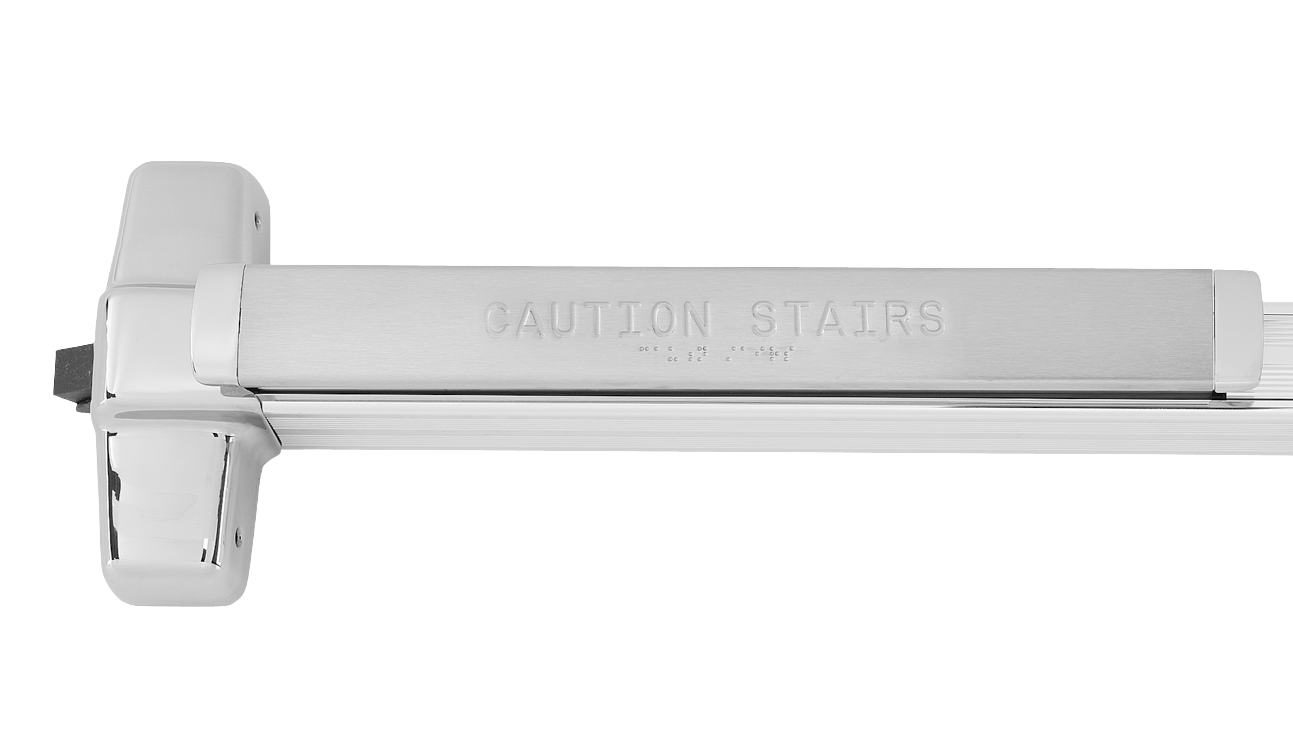 Von Duprin Panic Hardware
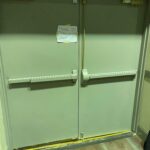
Von Duprin offers several different tactile options, both on the access and egress side of the door. On the egress side of the door, tactile feedback can be added to the push pad and crossbar in two ways. First, there is the option to add knurling to the push pad/crossbar. Knurling gives the touch pad a rough texture that can be used to signal a hazard. In addition, there is a braille option that includes raised letters and braille on the touch pad. The default braille message provided by Von Duprin is “CAUTION STAIRWELL”. Customized messages can be accommodated up to 20 characters via the engineering specials ordering process. On the access side of the door, select trims, including the 360L, 370L and 996L, can be ordered with tactile feedback.
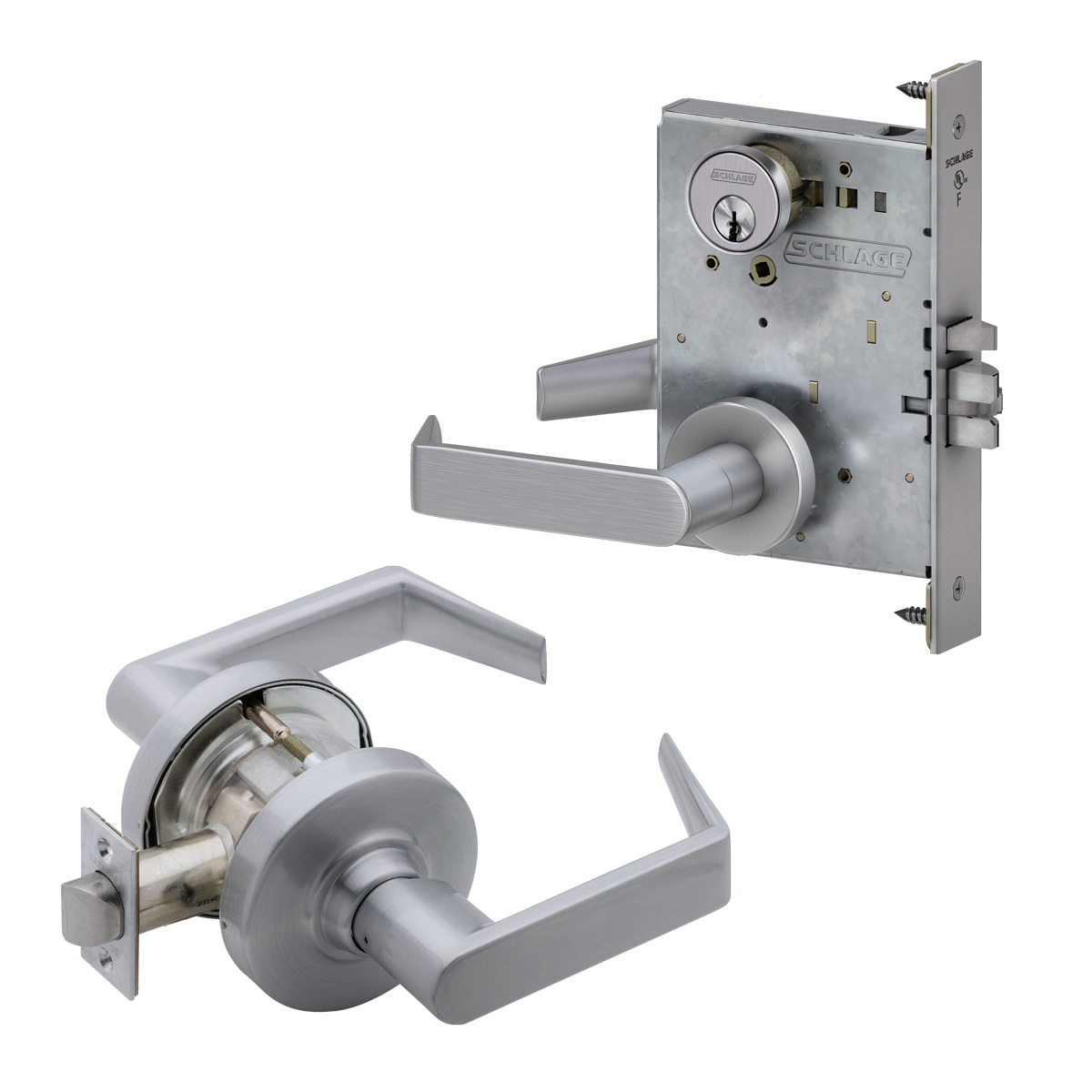 Schlage Mechanical Locks
A number of Schlage locks offer the option of milled or knurled tactile warnings on levers. Within the Schlage product portfolio, Schlage Grade 1 L Series mortise locks feature the largest number of lever designs capable of including this option. In addition, the L Series also offers the largest variation of available lock types (among the Schlage product portfolio) including mechanical, electrified, electronic and multi-latch locks for which tactile warning options extend across the entire family. Similarly, ND Series Grade 1 cylindrical locks offer tactile warning options on most lever styles which are shared across mechanical, electrified and electronic lock solutions. Additional Schlage lock products featuring tactile warning options include AD and CO Series electronic locks, as well as ALX and S Series mechanical locks.
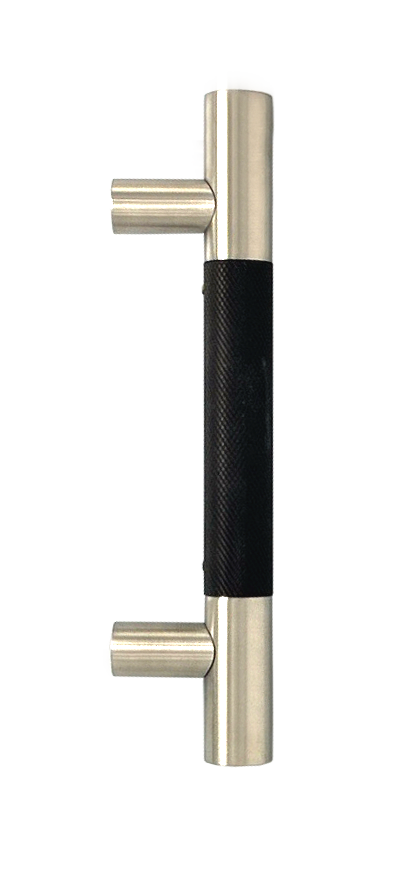 Trimco Custom Capabilities
When faced with a design challenge that standard hardware cannot address, Trimco can aide in the design and production of custom hardware solutions. From custom door pulls, plates and accessories, Trimco’s industrial designers can help create a solution that meets the project’s needs. Designed for high performance and crafted by skilled artisans, Trimco’s custom solutions use high quality materials to meet the demands of the application.
Allegion Electronic & Electrified Solutions
We design sound with intent—tuning tone, pitch, duration and frequency— so our electronics aim to deliver clear, inclusive feedback that supports safety, accessibility and intuitive use. A simple, consistent sound language (such as short rising chimes for success and lower falling tones for denial) enables users to understand what the product is communicating.
Audio and visual cues work together to create integrated and intuitive feedback that enhances usability for people with a wide range of abilities. We then validate the entire interface with diverse users to ensure it is intuitive, pleasant, and aligned with the brand.
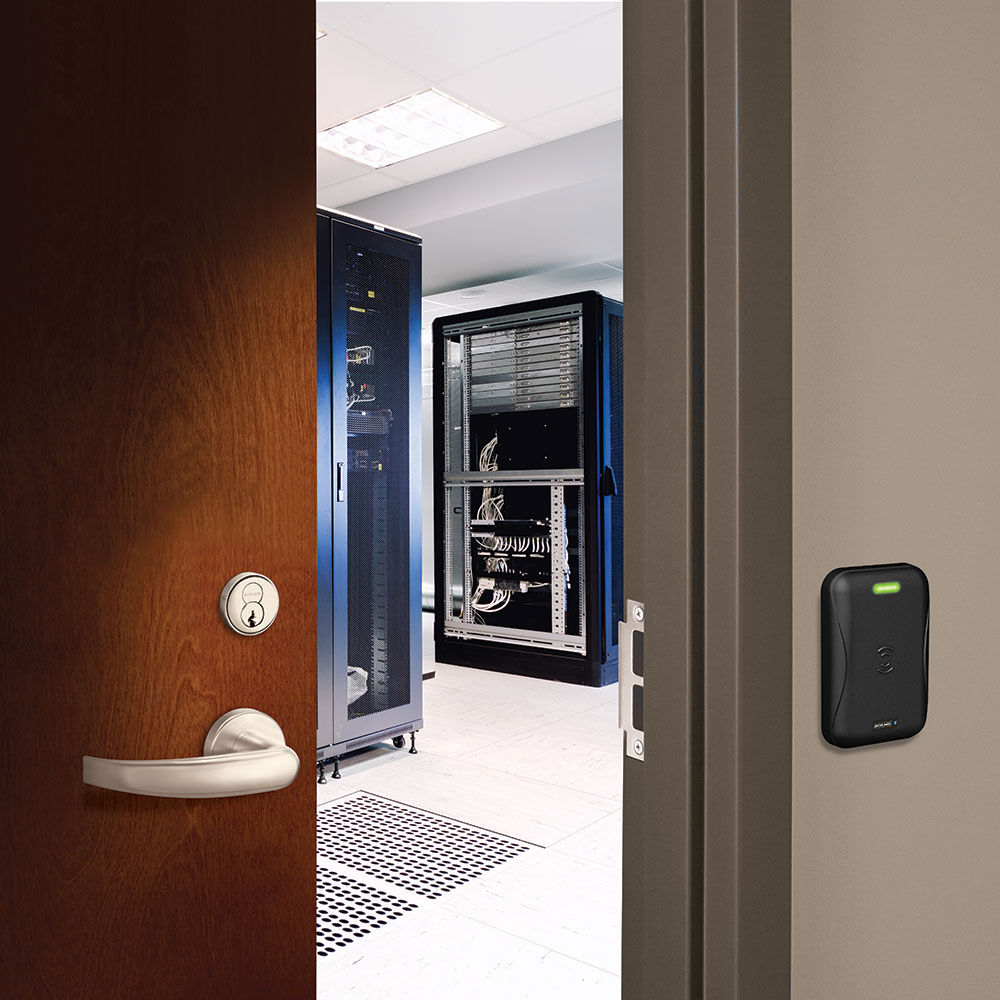 Schlage Mobile-Enabled & Smart Readers
The Schlage MTB11 and MTB15 are contactless, mobile-enabled smart readers. Schlage mobile enabled smart readers allow users with motor impairments to simply present a lanyard, fob or smartphone near the device to gain entry. Supporting Bluetooth and NFC mobile credentials provides an added inclusivity bonus: it allows individuals with visual or cognitive disabilities to manage access using their own smartphones, leveraging built-in features like screen readers, voice control and large text.
When specifying a model, it is important to consider the form factor that best meets users’ needs. The MTB11 is a narrow, mullion-mount reader, while the MTB15 is a wider, single-gang wall mount. The single-gang design of the MTB15 offers a slightly larger physical “target” area compared to the MTB11, making it significantly easier for users with tremors or limited hand-eye coordination to tap their credentials.
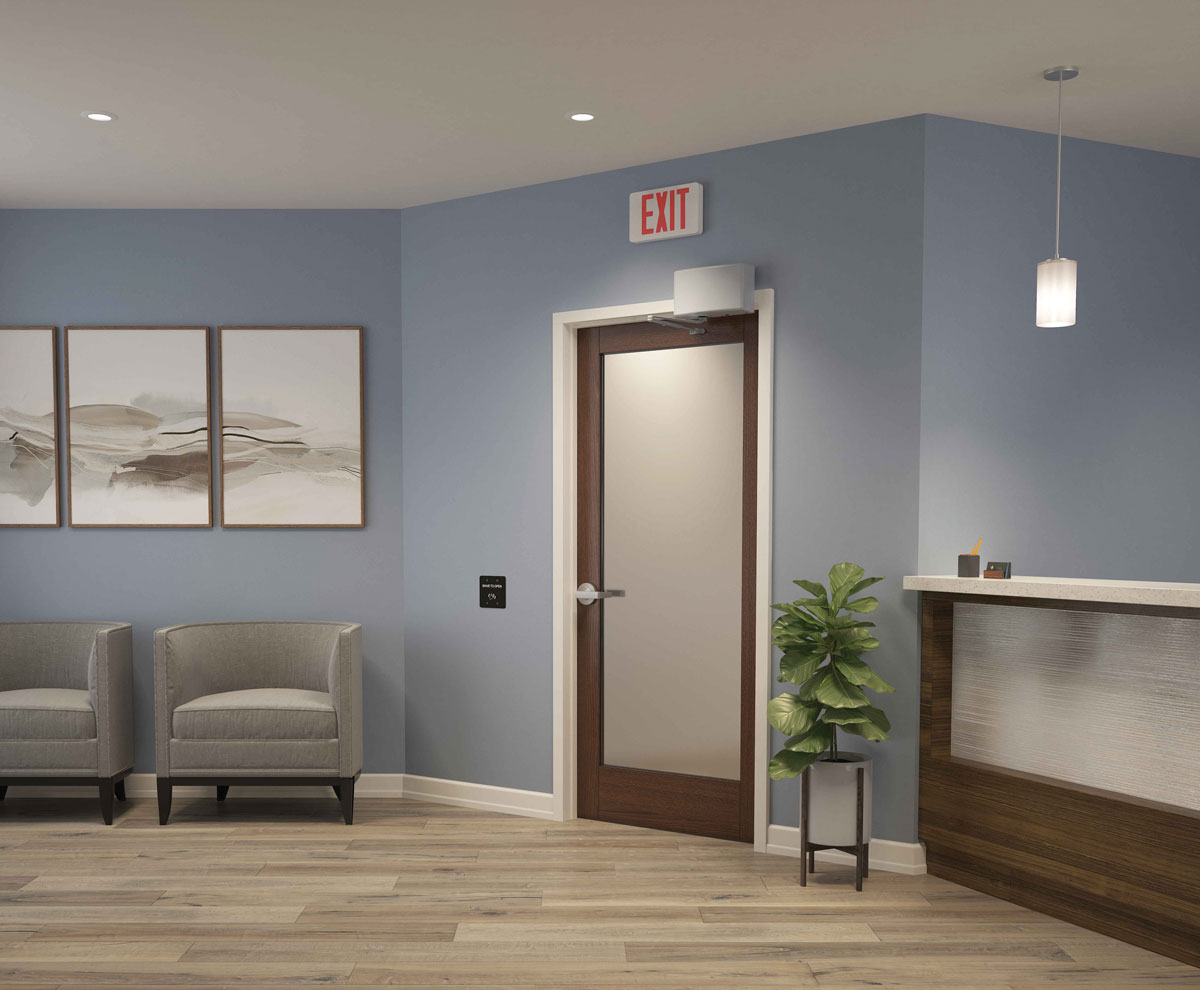 LCN Automatic Operators
LCN® offers auto operator solutions that incorporate clear audible cues to help users quickly understand system status and responses.
The LCN 9500IQ / 2800IQ Senior Swing™ Series uses an audible beep primarily as a UI confirmation (e.g., confirming settings have been applied with an audible beep) or to warn when the door has been triggered to open but cannot do so (e.g., because of an error or because the operator is switched off).
Another example is the LCN 6400 COMPACT™ Series, which provides tonal feedback during calibration: rising-pitch tones confirm a successful calibration, while falling-pitch tones indicate a failed calibration. These simple auditory cues let users quickly recognize status and errors without needing to look at the display.
Elevating Inclusivity
Allegion’s goal is to provide a truly inclusive experience, going beyond just meeting the bare minimum compliance requirements. Allegion’s hardware professionals leverage tactile and auditory feedback as just one of the many tools they have at their disposal to design openings that are intuitive, accessible, and welcoming to all.
You need to login or register to bookmark/favorite this content.

Leave A Comment